Overview
Atlanta, USA

Last updated: 2026-08-04
References
- What is Microsoft Intune?
- Planning guide to move to Microsoft Intune
- Migration guide to Microsoft Intune
- Enroll devices in Microsoft Intune
- Device compliance policies in Microsoft Intune
- Configure device configuration profiles
- Add apps to Microsoft Intune
- Network endpoints for Microsoft Intune
- Microsoft Intune reports
Microsoft Intune is a cloud-native endpoint management service that manages the full lifecycle of devices and apps: enrollment, configuration, compliance, protection, app lifecycle, updates, and reporting.
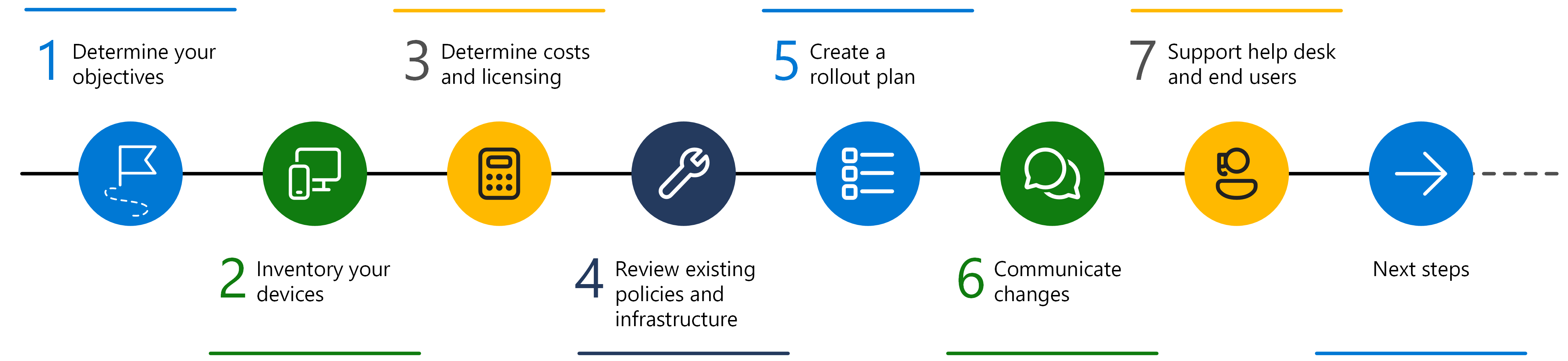
Source: Planning guide to move to Microsoft Intune.
Why it matters
Most organizations now operate multiple endpoint realities at once:
- Personal devices needing lightweight data protection.
- Corporate-owned devices requiring full policy control.
- Shared and frontline devices requiring constrained experiences.
- Existing on-premises investments that must transition safely.
Intune supports each model, but success depends on using the right control model for each environment instead of applying one policy style everywhere.
How it works
Intune implementation is easiest to reason about as five connected layers:
- Identity and access: Microsoft Entra users, groups, authentication, and Conditional Access.
- Device onboarding: Platform enrollment methods, ownership, and lifecycle state.
- Policy controls: Compliance policies, configuration profiles, security baselines, and update controls.
- App and data controls: App deployment, app configuration, and app protection policies.
- Operations and visibility: Reporting, troubleshooting, helpdesk workflow, and change control.
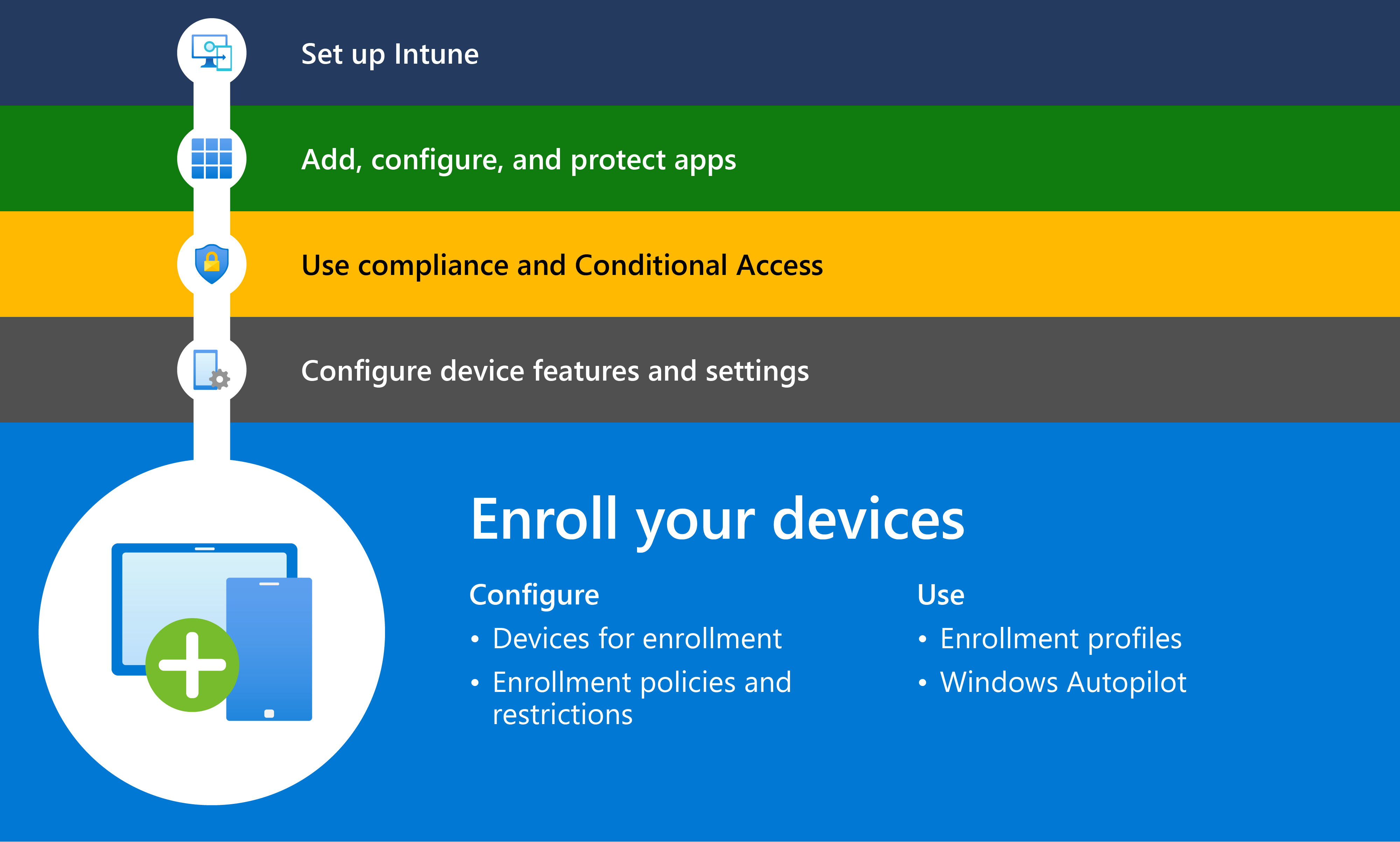
Source: Enroll devices in Microsoft Intune.
Environment models
| Environment | Typical Intune approach |
|---|---|
| BYOD (bring your own device) | App protection with MAM (mobile application management) controls, selective access, Conditional Access integration |
| Corporate-owned knowledge worker devices | Full MDM (mobile device management) enrollment, security baseline, compliance and update policies |
| Frontline/kiosk/shared devices | Dedicated enrollment model, locked-down app and profile controls |
| Hybrid/legacy estate | Co-management or staged migration from Configuration Manager and Group Policy |
Get started
- Define business outcomes, supported platforms, and data-protection requirements.
- Choose environment-specific strategy for BYOD (bring your own device), corporate-owned, frontline, and hybrid estates.
- Build pilot baselines for enrollment, compliance, configuration, apps, and security.
- Validate with reports before scaling rollout.
- Expand by phased deployment waves with helpdesk and communications readiness.
Business example
A global enterprise runs BYOD (bring your own device) for sales and full MDM (mobile device management) for engineering devices, while retail uses shared Android and iPad kiosks. Intune policies are segmented by environment, compliance is enforced through Conditional Access, and rollout occurs in staged waves by region. The team reduces support escalations and improves security posture without blocking user productivity.