Purview Data Lifecycle and Records Management
Atlanta, USA (United States of America)

Last updated: 2026-07-27
Data Lifecycle Management helps you retain the content you must keep and delete the content you no longer need. Retaining and deleting on a defined schedule supports compliance and reduces risk, liability, and attack surface.
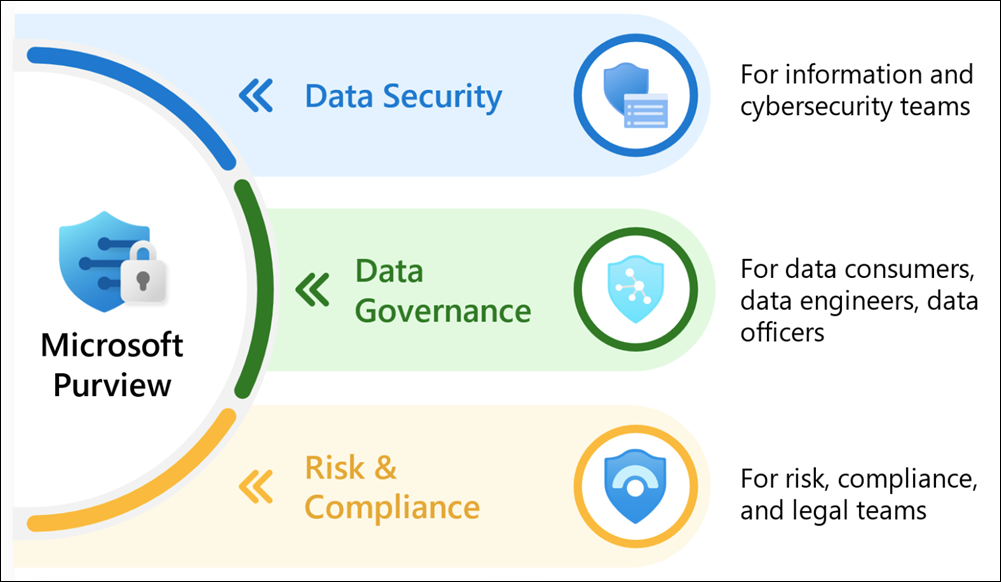
Source: Learn about Microsoft Purview.
Why it matters
Keeping everything forever increases exposure; deleting too soon breaks compliance. Retention policies and labels let you apply the right schedule across Microsoft 365 workloads and manage high-value records separately.
| Without lifecycle management | With the solution |
|---|---|
| Content is kept indefinitely by default | Retention and deletion follow a defined schedule |
| Legal records are mixed with ordinary data | Records management governs high-value items |
| Deletion is manual and inconsistent | Policies retain then delete automatically |
| Departed-user data lingers unmanaged | Inactive mailboxes and archiving apply |
Value in one line: it keeps what you must and deletes what you should, on a governed schedule, across Microsoft 365.
Choose the control
- Retention policies apply a broad schedule to Exchange, SharePoint, OneDrive, Teams, and Viva Engage, either org-wide or to selected instances.
- Retention labels handle exceptions users apply or that auto-apply by content.
- Records management governs high-value business, legal, or regulatory records, including declaration, disposition review, and proof of disposal.
- Archiving and inactive mailboxes manage storage and departed-user content.
Deploy safely
- Define retention obligations, record categories, owners, and legal requirements.
- Model policies and labels against workloads and instances before applying.
- Pilot with a limited scope and confirm retain, delete, and hold behavior.
- Use records management for items needing disposition review and proof.
- Document schedules, exceptions, holds, and disposition evidence.
Common pitfalls
- Keeping everything indefinitely, which increases exposure and eDiscovery cost.
- Using retention labels for high-value records that actually need records management with disposition review and proof of disposal.
- Applying broad deletion before piloting, which can remove content a hold or regulation requires.
- Forgetting departed-user content, which lingers in inactive mailboxes without a managed schedule.
Business example
A team retains email for a required number of years and then deletes it with a retention policy, while a records label governs signed contracts with a disposition review. Legal holds are validated in a pilot before the schedule is applied broadly, and disposition evidence is preserved.