Purview Governance and Roles
Atlanta, USA (United States of America)

Last updated: 2026-07-27
Official references
Assign data owners, compliance owners, platform administrators, and reviewers. Use role-based access control (RBAC) at the narrowest scope and separate policy administration from investigation and approval.
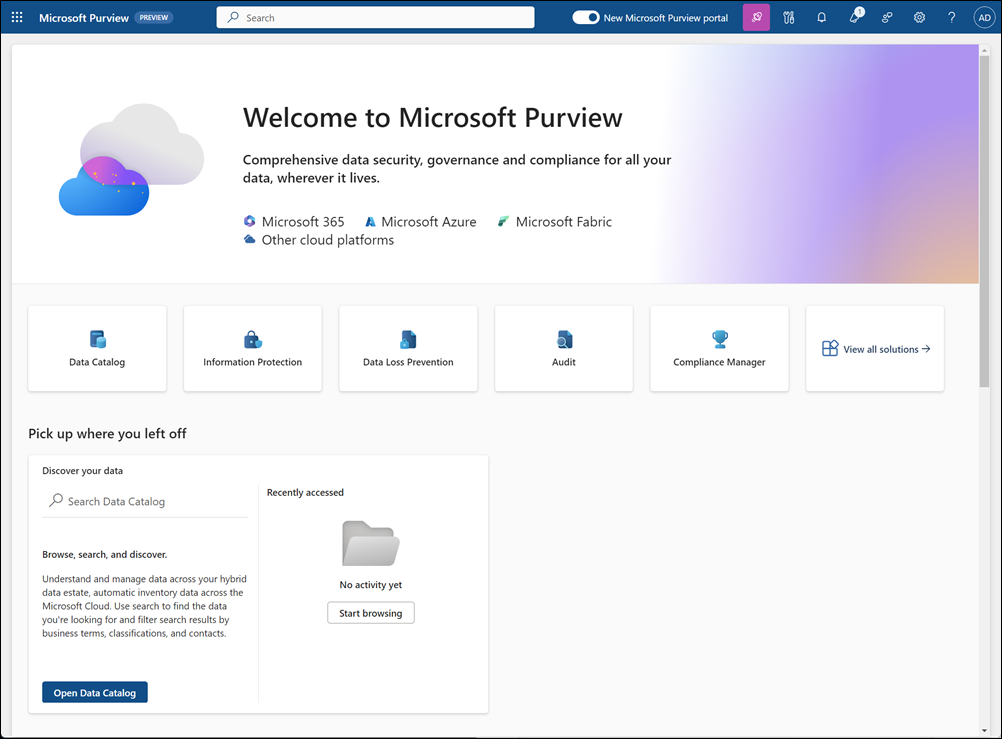
Source: Learn about the Microsoft Purview portal.
Separate the responsibilities
| Responsibility | Accountable role | Keep separate from |
|---|---|---|
| Portal and tenant administration | Platform administrator | Investigation and legal review |
| Data curation and source ownership | Data owner or steward | Policy approval |
| Label, data loss prevention (DLP), and retention policy authoring | Compliance administrator | Case investigation |
| Audit search and electronic discovery (eDiscovery) | Investigator or legal reviewer | Policy authoring |
| Access review and approval | Governance owner | Day-to-day administration |
Grant access safely
- Grant Purview permissions through security groups, and prefer just-in-time membership with Microsoft Entra Privileged Identity Management (PIM) for privileged roles.
- Scope roles to the narrowest collection, governance domain, or administrative unit that supports the task.
- Review role-group membership, break-glass access, and standing privileged access on a defined cadence.
- Record who can author policies, who approves them, and who can access investigation evidence.
Note: after activating a PIM (Privileged Identity Management)-eligible role for a security group, it can take up to two hours for effective Purview permissions to apply.
Set up governance roles
- In the Microsoft Purview portal, identify the tenant administrator, data governance, compliance, investigation, legal-review, and access-review responsibilities.
- Create Microsoft Entra security groups for each responsibility and make privileged membership eligible through Privileged Identity Management (PIM) where available.
- In Purview Settings and the relevant solution area, assign the least-privilege role groups to those security groups rather than individual users.
- For Data Map and Unified Catalog, assign governance-domain and collection roles at the narrowest scope that supports the owner or steward task.
- Sign in with pilot accounts for a policy author, investigator, and steward to confirm each can perform only the approved actions and see only the approved data.
- Record group owners, scope, approval authority, review cadence, and emergency-access process in the governance register.
Why governance comes first
Purview policies act on real data and real users, so the wrong access model can expose sensitive content or let one person both create and investigate the same policy. Governance is therefore the first thing to design, before any scan, label, or policy. A clear model defines who owns data, who authors policy, who approves change, and who investigates, and it keeps those responsibilities in different hands so that controls stay trustworthy and auditable.
Separation of duties is not bureaucracy; it is what makes the evidence Purview produces defensible. If the person who tunes a data loss prevention rule is also the person who reviews its alerts and can clear them, the audit trail loses value. Mapping each responsibility to an accountable owner, and keeping authoring apart from investigation and approval, is what lets a regulator or auditor trust the result.
How permissions work
Purview permissions are granted through role groups and, for data governance, through tenant and collection or governance-domain roles. Two principles keep the model safe. First, grant through security groups rather than to individuals, so membership is reviewable and revocable in one place. Second, prefer just-in-time elevation with Microsoft Entra Privileged Identity Management (PIM), so privileged roles are active only when needed and every activation is logged. Scope always matters: a role assigned at a narrow collection or administrative unit limits both the blast radius of a mistake and the reach of a compromised account.
Verify and operate
- Review role-group membership, PIM (Privileged Identity Management)-eligible assignments, and break-glass accounts on a defined cadence, and remove access that is no longer justified.
- Confirm that policy authors cannot clear or approve the alerts their own policies generate.
- Test that scoped administrators see only the data and actions in their scope.
- Preserve access reviews, approvals, and role changes as governance evidence.
Business example
A compliance team authors sensitivity labels while a separate legal team runs eDiscovery cases. Platform administration is delegated to IT (information technology) through a PIM (Privileged Identity Management)-eligible security group, and access reviews confirm that no single person can both author a policy and investigate the evidence it produces.