Microsoft Defender for Key Vault Overview
Last updated: 2026-07-27
Defender for Key Vault detects unusual and potentially harmful attempts to access or exploit Azure Key Vault vaults by analyzing control-plane and data-plane activity with Microsoft threat intelligence. Because vaults store the secrets, keys, and certificates that unlock everything else, a compromised vault often means a compromised environment.
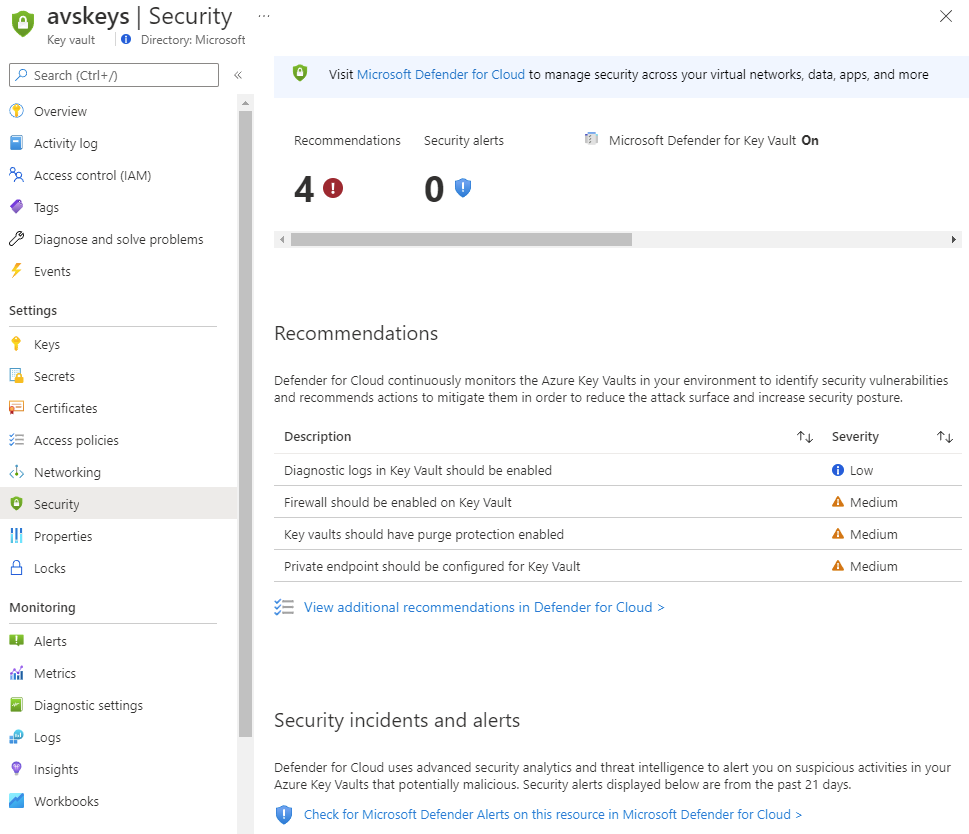
Source: Overview of Defender for Key Vault.
Why enable it
Secret theft is a favored escalation step: one leaked application credential can be used to pull every secret a vault holds. Defender for Key Vault baselines normal access and alerts when an unfamiliar identity, location, or access volume suggests abuse.
| Without Defender for Key Vault | With the plan enabled |
|---|---|
| Vault access is only reviewable in diagnostic logs | Threat intelligence flags suspicious access in near real time |
| A compromised app can drain secrets unnoticed | Unusual bulk or first-time access triggers alerts |
| Anomalies require manual baselining | Behavioral analytics learn the normal access pattern |
| Response is reactive after damage | Early alerts enable rotation before secrets are misused |
Value in one line: it turns the vault from a silent single point of failure into a monitored tripwire that warns you the moment secrets are targeted.
How it works
Defender for Key Vault evaluates both control-plane operations, such as creating or modifying a vault, and data-plane operations, such as reading secrets, keys, and certificates, against Microsoft threat intelligence and a learned baseline of normal access. When an identity, location, or access volume falls outside that baseline. For example, if an application principal suddenly enumerates every secret, it raises an alert with the caller, operation, and vault context.
The analysis is passive: it reads the vault's own telemetry and never blocks legitimate access, so enabling it cannot break an application. Its value is early warning, which gives you time to rotate the affected secrets before an attacker can use them.
Enable
- Inventory vaults, managed HSM resources, applications, identities, and owners.
- Confirm current protection scope and regional availability for each resource.
- In Defender for Cloud Environment settings, select the subscription.
- Enable the Key Vault plan and save.
- Review network access, RBAC, purge protection, logging, and secret rotation.
- Route alerts to both the security team and vault owner.
Verify and operate
- Confirm intended vaults appear as protected in inventory.
- Establish baselines for service principals, source networks, and operation rates.
- Investigate anomalous access with identity, application, and audit evidence.
- Predefine secret or certificate rotation and application recovery procedures.
- Monitor vaults outside the centrally managed subscription hierarchy.
Architecture and prerequisites
- Telemetry: analyzes Key Vault control-plane and data-plane operations; enable diagnostic logging to Log Analytics for investigation depth.
- Scope: a per-subscription plan covering vaults in scope, with new vaults inheriting protection.
- No data-path impact: analysis is asynchronous on the vault's logs and never blocks access.
- Permissions: Security Admin / Owner to enable.
Detections and response
Representative alerts include access from a suspicious IP or unusual location, a spike in secret or key enumeration, access by an application identity that has never touched the vault, and denied-then-succeeded patterns. Because the value is early warning, pre-build automated response: on a high-confidence alert, trigger a Logic App to rotate the affected secrets and keys and notify the vault owner. Use RBAC (not legacy access policies), private endpoints, purge protection, and short secret lifetimes as the preventive layer beneath detection.
Important
Defender detects suspicious access; it does not replace least privilege, private endpoints, soft-delete and purge protection, or rotation processes.
Operational decisions
- Pre-approve a rotation path for each secret type; disabling an identity before dependent workloads are updated can create a production outage.
- Make privileged vault access time-bound and review it alongside private-network exceptions and break-glass access regularly.
- Retain vault URI, object name, caller identity, source network, access pattern, rotation ticket, and secret owner for every incident.
Business example
An application service principal normally reads two secrets per deployment, but Defender alerts when it enumerates every secret in the vault from a new IP range. The on-call workflow disables the principal's role assignment, rotates the secrets it accessed, and asks the application team to restore access using a managed identity and private endpoint.