Microsoft Sentinel and Defender Integration
Last updated: 2026-07-27
References
Microsoft Sentinel is Microsoft's cloud-native security information and event management (SIEM) and security orchestration, automation, and response (SOAR). Defender products generate specialized detections and response context; Sentinel combines those signals with Microsoft and third-party data for broader analytics and automation.
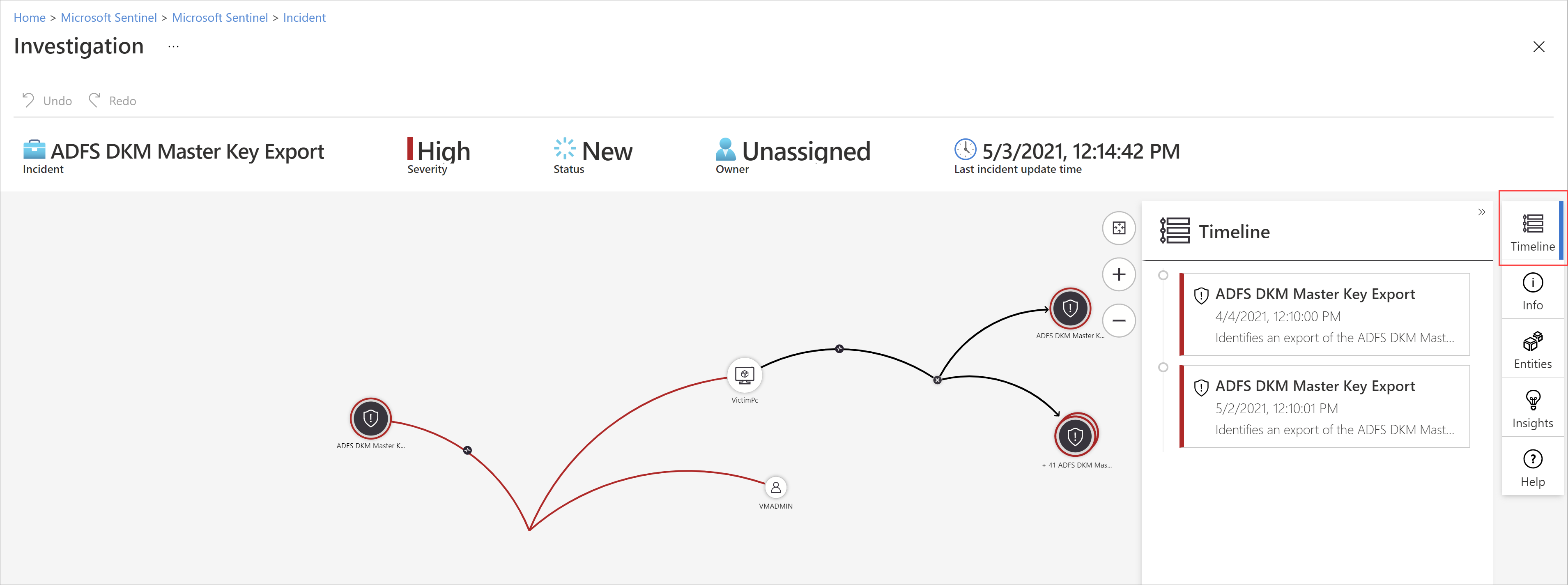
Source: Microsoft Sentinel overview.
Why integrate it
Defender products are excellent at detecting attacks inside the Microsoft estate, but most organizations also run firewalls, non-Microsoft clouds, and custom apps. Sentinel adds long-term retention, cross-source correlation, and flexible automation, so Defender incidents can be investigated alongside everything else.
| Defender XDR alone | With Sentinel integrated |
|---|---|
| Deep detection across Microsoft workloads | Adds firewall, network, and third-party data |
| Retention suited to active investigation | Long-term retention for hunting and compliance |
| Response scoped to Microsoft products | SOAR playbooks orchestrate any connected system |
| One vendor's telemetry | A single pane across the whole environment |
Value in one line: it extends Defender's strong detections with SIEM-scale correlation, retention, and automation across every security source you own.
How it works
When you connect Microsoft Defender extended detection and response (XDR) to Sentinel, incidents and alerts synchronize between the two, so an incident can be worked in either portal without creating duplicates. Sentinel ingests that data alongside connectors for firewalls, networks, non-Microsoft clouds, and custom logs into a Log Analytics workspace, where analytics rules, workbooks, and hunting queries run across everything together.
Its SOAR layer adds automation rules and Logic App playbooks that can enrich, assign, or remediate incidents across any connected system. Because ingestion and retention drive cost, the goal is to add only the data and rules that serve a defined use case rather than duplicating what Defender already detects natively.
Decide the incident owner
Choose whether Defender XDR or Sentinel is the primary incident queue. Avoid parallel ownership, duplicate tickets, and automation that closes or reopens the same incident in a loop.
Configure
- Define use cases, retention, data residency, roles, and a cost budget.
- Onboard Sentinel to the appropriate Microsoft Defender portal or workspace architecture.
- Configure the supported Microsoft Defender solution and data connectors.
- Select incident integration and alert synchronization behavior deliberately.
- Add analytics rules only when the native Defender detection does not meet the need.
- Create automation rules and least-privilege Logic App playbooks.
Verify and operate
- Confirm a test Defender alert arrives once with the expected entities and severity.
- Verify incident status and owner synchronization in both experiences.
- Check hunting data availability, timestamps, and retention.
- Measure ingestion by table and remove unused high-volume data.
- Test playbook approval, failure handling, rollback, and audit records.
- Document which portal analysts use for each response action.
Architecture and prerequisites
- Workspace: Sentinel runs on a Log Analytics workspace; the Defender XDR connector synchronizes incidents and alerts between the two.
- Unified portal: Sentinel is available inside the Microsoft Defender portal, giving one incident queue across Defender XDR and Sentinel.
- Connectors: first-party connectors for Entra, Azure activity, and Microsoft 365, plus non-Microsoft sources such as Common Event Format (CEF)/Syslog, Amazon Web Services (AWS), Google Cloud Platform (GCP), and custom logs.
- Cost model: billing is driven by ingested and retained data; use commitment tiers, basic and auxiliary logs, and archive tiers to manage cost.
Analytics and automation
Prefer native Defender detections and add Sentinel analytics rules only for cross-source use cases. Automate with automation rules and Logic App playbooks that use least-privilege managed identities, and validate that a single test alert arrives once, with the correct entities, in the chosen primary queue.
Design telemetry and deduplication
Document every connector as a telemetry contract: the security question it answers, source owner, destination table, expected volume, retention, access roles, and the analytic or investigation that depends on it. This prevents a high-volume source from becoming an expensive data stream with no operational purpose. Treat Defender alerts, raw source events, and custom analytics as separate inputs; retaining all three is justified only when each serves a specific detection or evidence requirement.
When Defender XDR synchronization is enabled, do not create Sentinel analytics rules that independently recreate a native Defender detection unless the rule adds distinct cross-source logic. Test the intended alert path using a controlled event, then verify the incident count, alert IDs, entities, owner, status, and automation history in the selected primary queue. If duplicates appear, disable or tune the overlapping rule, check connector health and correlation timing, and link or close the duplicate only after preserving the investigation evidence.
For every production analytic rule, record the source tables, lookback period, entity mappings, suppression behavior, automation dependencies, test procedure, and rollback owner. Revalidate those assumptions when a connector, retention setting, table schema, or Defender integration changes.
Important
Sending duplicate raw telemetry and alerts can add cost without adding detection value. Build integrations from explicit use cases and retention requirements.
Operational decisions
- Define data-source purpose, retention, owner, and expected volume before adding a connector; remove streams that do not serve a detection, investigation, or compliance requirement.
- Prevent automation loops by assigning a single primary incident queue and testing incident status synchronization before enabling response playbooks.
- Retain connector state, workspace, table, analytic rule, incident ID, playbook run, ingestion cost, and recovery outcome for each cross-source investigation.
Business example
A SOC wants to detect a stolen cloud credential used from an unusual network. Sentinel correlates a Defender for Cloud Resource Manager alert, an Entra risky sign-in, and a firewall connection record that Defender XDR alone does not retain. An automation rule assigns the single incident to cloud operations and sends a playbook for approval before it disables the identity and blocks the source.