Microsoft Defender for Cloud on AWS
Last updated: 2026-07-27
References
Defender for Cloud connects AWS organizations or accounts to provide cloud posture management and selected workload protections. It does not turn AWS into an Azure subscription; protection remains resource- and plan-specific.
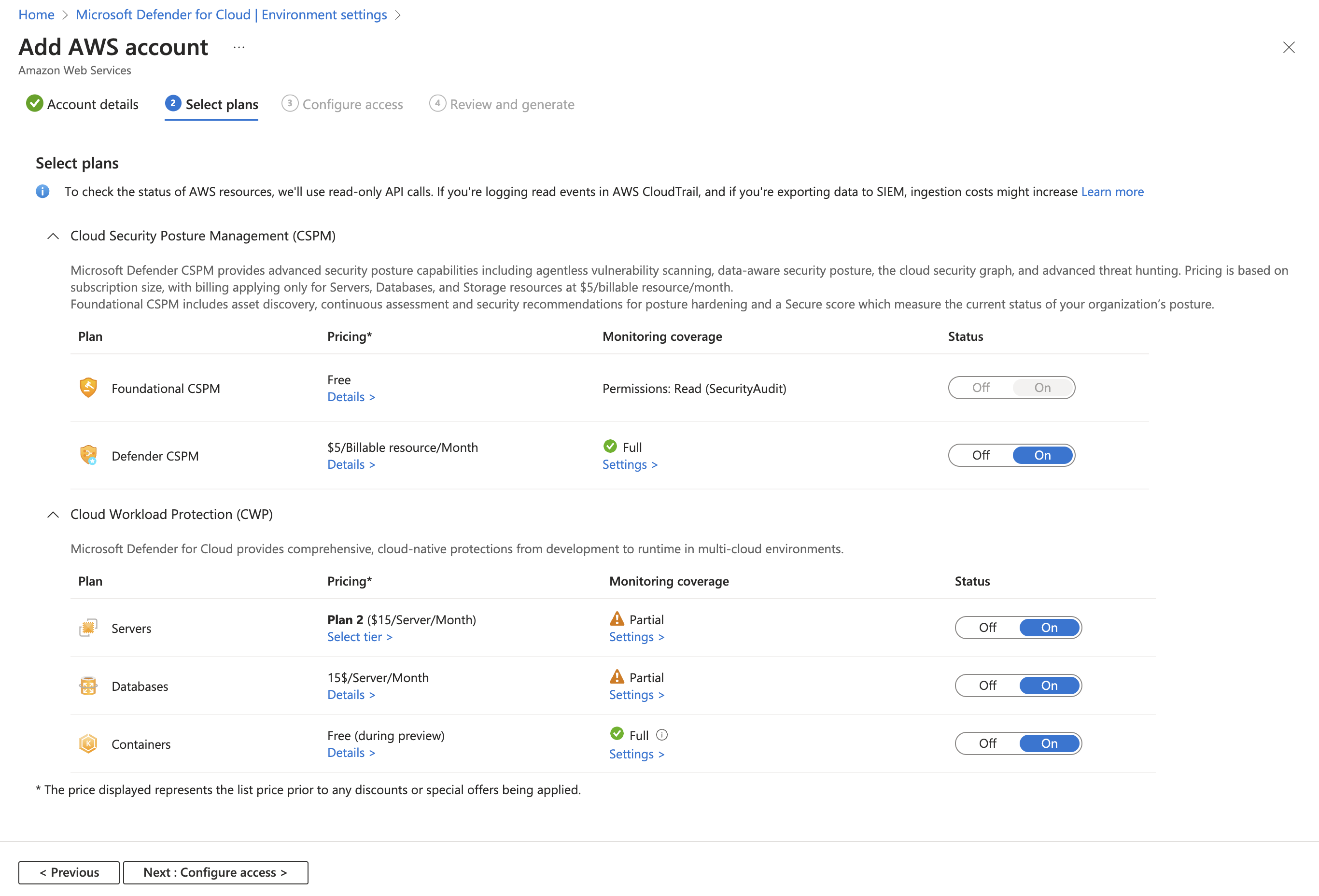
Source: Connect your AWS accounts to Microsoft Defender for Cloud.
Why enable it
Security teams rarely have one cloud. Running a separate AWS security stack means separate consoles, separate scoring, and gaps where nobody is looking. An AWS connector brings AWS posture and workload protection into the same secure score and attack-path view you already use for Azure.
| Without an AWS connector | With AWS connected |
|---|---|
| AWS posture lives in a separate tool and score | AWS findings join one unified secure score |
| Cross-cloud attack paths are invisible | Attack paths can span Azure and AWS resources |
| EC2 and EKS use different security tooling | Defender for Servers and Containers extend to AWS |
| Reporting is stitched together manually | One console reports multicloud risk consistently |
Value in one line: it removes the AWS blind spot, giving one prioritized view of risk across every cloud your organization runs.
How it works
An Amazon Web Services (AWS) connector uses a CloudFormation stack, or a StackSet for an entire organization, to create least-privilege Identity and Access Management (IAM) roles that let Defender for Cloud read AWS configuration and, for selected plans, deploy the required components. From there, foundational cloud security posture management (CSPM) assesses AWS resources against the multicloud benchmark, and workload plans such as Defender for Servers and Defender for Containers extend to eligible EC2, EKS, and ECR resources.
Everything the connector discovers flows into the same inventory, secure score, and cloud security graph as your Azure resources, so AWS findings are ranked on one scale and attack paths that cross from Azure into AWS become visible.
Typical coverage
- Foundational CSPM and Microsoft Cloud Security Benchmark recommendations.
- Defender CSPM capabilities such as agentless discovery and attack paths where supported.
- Defender for Servers coverage for eligible EC2 machines.
- Defender for Containers coverage for eligible Amazon EKS and ECR resources.
- Additional plan-specific coverage shown by the current AWS support matrix.
Connect
- Decide whether to connect an AWS organization or individual accounts.
- In Defender for Cloud Environment settings, create an AWS connector.
- Select plans and review every requested AWS and Azure permission.
- Deploy the generated CloudFormation stack or StackSet in the correct scope.
- Configure optional agentless, server, and container components.
- Wait for discovery, then compare inventory with AWS Organizations and Config.
Verify and operate
- Confirm connector health, account coverage, region coverage, and scan freshness.
- Validate that required IAM roles and AWS services were created successfully.
- Review AWS API cost, data transfer, Defender plan charges, and resource limits.
- Route findings to the team that owns the AWS account and affected workload.
- Remove stale accounts and update StackSets when connector requirements change.
Architecture and prerequisites
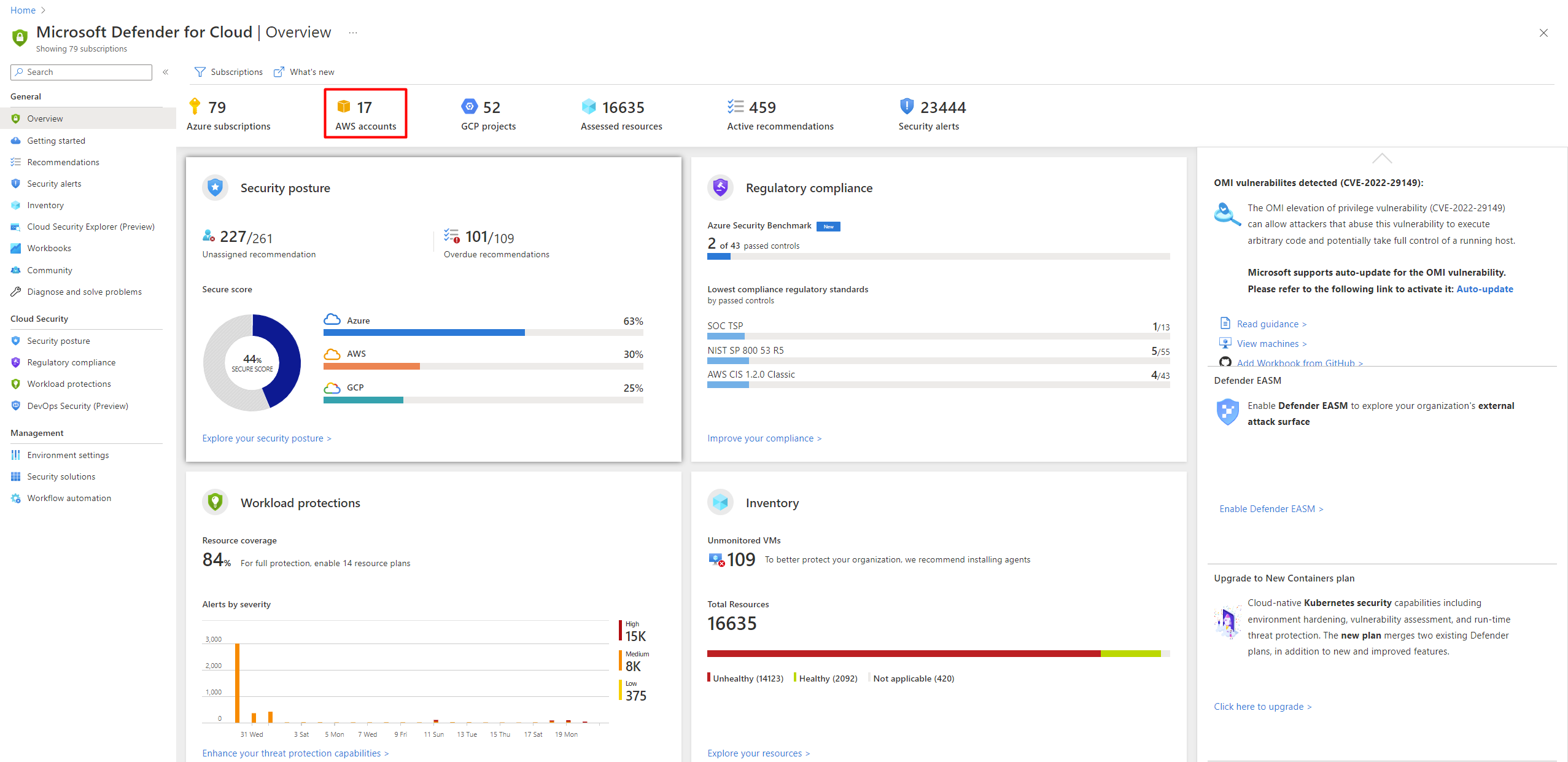
Source: Connect your AWS accounts.
- Connector model: a single account uses a CloudFormation stack; an AWS Organization uses a StackSet so member accounts onboard automatically.
- Roles: the templates create least-privilege IAM roles for CSPM reads and, per plan, for agentless scanning, Defender for Servers (via Arc and MDE), and Defender for Containers (EKS and ECR).
- Agentless scanning: snapshots Amazon Elastic Block Store (EBS) volumes in the customer account and analyzes them in Microsoft's environment.
- CloudTrail: required for control-plane detections; ensure a trail is enabled in scope.
- Permissions: Security Admin / Owner in Azure plus AWS permissions to deploy the stack.
Detections and operations
CSPM maps AWS resources to the Microsoft Cloud Security Benchmark and standards such as Center for Internet Security (CIS) AWS and Payment Card Industry Data Security Standard (PCI DSS). Workload detections, such as Amazon Elastic Compute Cloud (EC2) through Microsoft Defender for Endpoint (MDE) and Amazon Elastic Kubernetes Service (EKS) through the sensor, map to MITRE ATT&CK just as they do in Azure. Monitor connector health, IAM role validity, region coverage, and scan freshness, and update StackSets when plan requirements change.
Important
Do not grant connector permissions without cloud security and AWS platform review. Organization-wide templates can affect every member account.
Operational decisions
- Assign ownership for the AWS Organization, connector role, StackSet, member account enrollment, and CloudTrail evidence before enabling broad scope.
- Review service-control policies in a representative account first; they can prevent an emergency workload change as readily as an unsafe deployment.
- Retain AWS account ID, region, CloudTrail event, connector health, remediation owner, and cross-cloud incident reference with each finding.
Business example
An AWS Organization connects through a StackSet and Defender CSPM flags an S3 bucket with public read access in a sandbox account. The account owner removes the public ACL, applies an Organizations service-control policy to prevent future public buckets, and uses the unified secure score to demonstrate the improvement alongside Azure remediation work.