Microsoft Defender for Storage Overview
Last updated: 2026-07-27
References
Defender for Storage detects storage-specific threats and can add on-upload malware scanning and sensitive-data threat detection for supported Azure Storage services and account types. Because storage accounts hold backups, application data, and shared content, they are a frequent target for exfiltration and a common delivery point for malware.
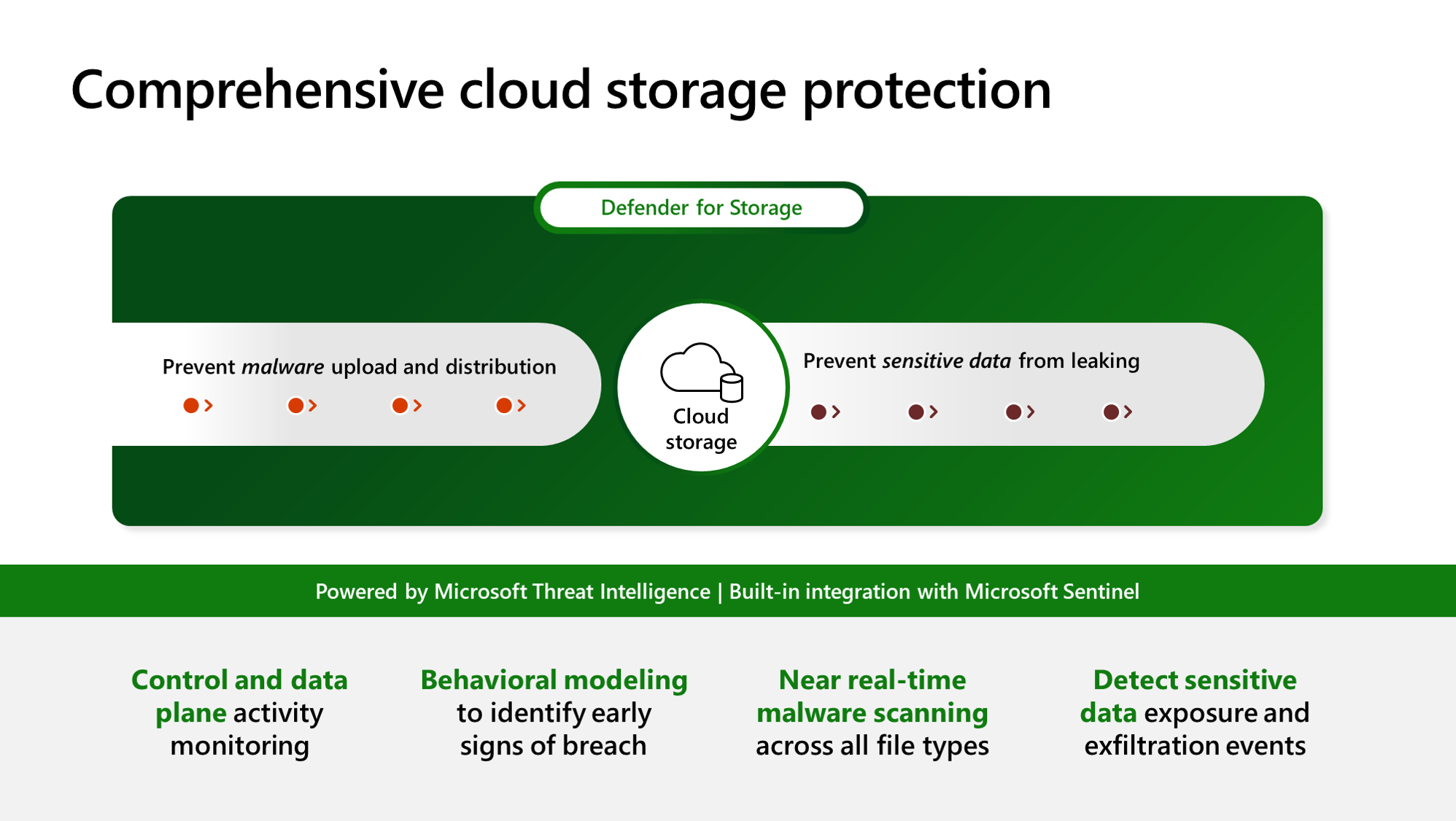
Source: Overview of Defender for Storage.
Why enable it
A single malicious upload or a leaked SAS token can turn a storage account into a malware host or a data-loss event. Defender for Storage watches access patterns with Microsoft threat intelligence and can block malware at upload time, without changing how applications read and write data.
| Without Defender for Storage | With the plan enabled |
|---|---|
| Suspicious access is only visible in raw logs | Threat intelligence flags anomalous and malicious activity |
| Uploaded files are trusted implicitly | Optional on-upload malware scanning blocks known-bad files |
| Sensitive-data exposure is discovered late | Sensitive-data threat detection prioritizes high-value accounts |
| SAS and key abuse is hard to spot | Alerts highlight unusual token and key usage |
Value in one line: it stops storage from becoming a quiet path for malware delivery and data theft, while keeping normal application access unchanged.
How it works
Defender for Storage analyzes the control-plane and data-plane telemetry that every storage account already emits, comparing it against Microsoft threat intelligence and behavioral models to spot anomalies such as access from a Tor exit node, unusual data extraction, or use of a leaked SAS token. This activity monitoring needs no agent and never sits in the data path, so it does not slow reads or writes.
When you enable on-upload malware scanning, each uploaded blob is scanned by the Microsoft anti-malware engine and the result is surfaced as a blob index tag and an Event Grid event your application can act on. Sensitive-data threat detection adds weight to accounts that Microsoft Purview has flagged as holding sensitive information, so the highest-value data receives the closest attention.
Protect
- Blob Storage and Azure Data Lake Storage workloads supported by the plan.
- Suspicious access patterns, exfiltration, malicious uploads, and SAS misuse.
- Sensitive data context and malware scanning when those options are enabled.
Enable
- Inventory storage accounts, transaction volume, data sensitivity, and owners.
- Choose subscription-wide enablement or resource-level configuration.
- Enable Defender for Storage and explicitly review malware scanning and sensitive-data threat detection settings.
- Set malware-scanning caps and cost controls appropriate to ingestion volume.
- Configure Event Grid or workflow handling if applications consume scan results.
- Exclude trusted paths only after documenting the resulting risk.
Verify and operate
- Confirm each intended account reports the current plan status.
- Use Microsoft's harmless malware-scanning validation procedure in a test account.
- Verify scan-result delivery and application behavior for malicious files.
- Monitor scan failures, throttling, transaction anomalies, and cost.
- Do not expose test files or production data during validation.
Architecture and prerequisites
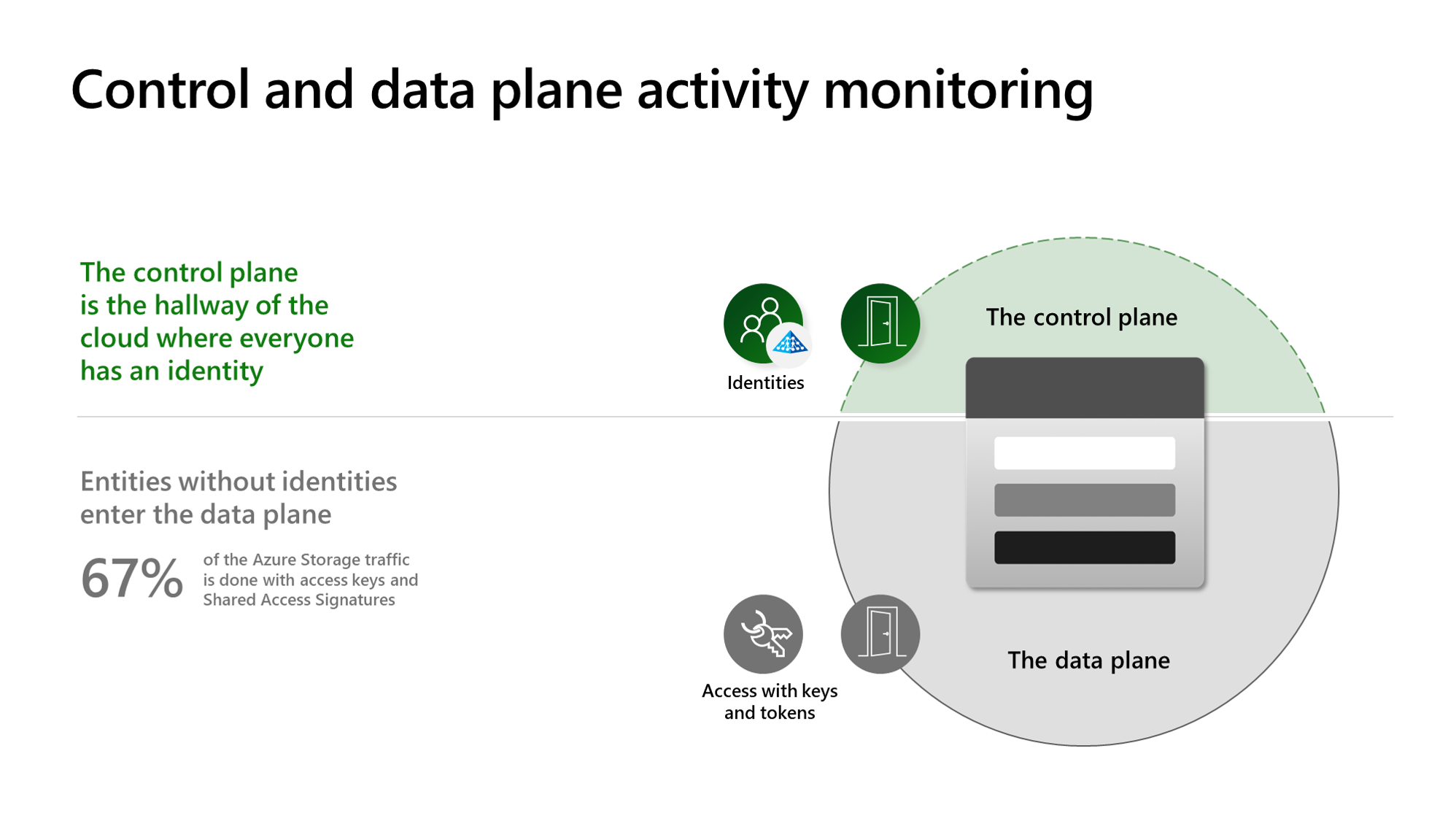
Source: Overview of Defender for Storage.
- Activity monitoring: analyzes the storage account's control-plane and data-plane operations from the Azure resource-logs pipeline; it is agentless and adds no data-path latency.
- On-upload malware scanning: an in-account engine inspects each new blob, writes the result as a blob index tag, and emits an Event Grid event; a per-account monthly cap protects cost.
- Sensitive-data threat detection: uses Defender CSPM sensitive-data context (Microsoft Purview) to weight alerts on accounts holding regulated data.
- Scope model: enable at subscription level for inheritance or override per storage account; malware scanning and sensitive-data detection are independent toggles.
- Permissions: Security Admin / Owner to enable; scanning components use a system-assigned managed identity granted data access to the protected accounts.
Detections and response
Representative alerts include access from a Tor exit node or suspicious IP, an unusual volume of data extraction, upload of a known-malicious blob, and anomalous SAS-token usage. Wire malware-scan Event Grid events to a Logic App or Function to quarantine or delete flagged blobs automatically, and export alerts to Sentinel through the SecurityAlert table for correlation.
Scanning identity and result handling
Treat the scanning configuration as a privileged data-processing integration. Review the storage account's identity and access management assignments, the Defender-created configuration, Event Grid subscription, destination workflow, and any quarantine container before rollout. Scope human and automation roles to the smallest account, container, and action set that satisfies the documented deployment requirements; do not substitute a broad storage-account key or an application owner identity for the managed integration.
Design the scan-result consumer to handle duplicate delivery, delayed delivery, and a result that cannot be acted on because the object was deleted or replaced. Use blob version or immutable object identifiers where the application supports them, preserve the original object and result in a controlled quarantine path, and make the workflow emit a success or failure record for every action. Monitor the Defender plan state, scan-result events, workflow failures, and scanning caps together; an apparently healthy storage account can still have an unprocessed malicious-object event.
Keep an evidence trail that links the storage account, blob URI and version, uploader identity, result event, quarantine or deletion action, ticket, and retention decision. Validate this complete flow with the supported harmless test procedure before relying on automatic downstream processing.
Important
Malware scanning is not a substitute for access control, private networking, soft delete, versioning, backups, or data-loss prevention.
Operational decisions
- Decide whether a malicious upload is quarantined, deleted, or held for review; make the action idempotent so repeated Event Grid events are harmless.
- Set scanning caps from observed upload volume and alert before the cap can leave a business-critical path without expected coverage.
- Retain blob URI, version, scan result, uploader identity, action outcome, and retention owner as incident evidence.
Business example
An application accepts customer file uploads into a Blob container. The team enables on-upload malware scanning with an Event Grid subscription to a Logic App. When a blob is tagged as malicious, the workflow moves it to a quarantine container, opens a ticket, and prevents downstream processing; clean uploads continue through the existing application path without change.