Microsoft Defender for IoT Overview
Last updated: 2026-07-27
Microsoft Defender for IoT provides security visibility and threat detection for operational technology (OT) networks. Enterprise IoT discovery and protection can also use Defender for Endpoint capabilities on supported networks and devices. OT and IoT devices are often unpatchable, long-lived, and invisible to IT tools, which makes purpose-built, passive monitoring essential.
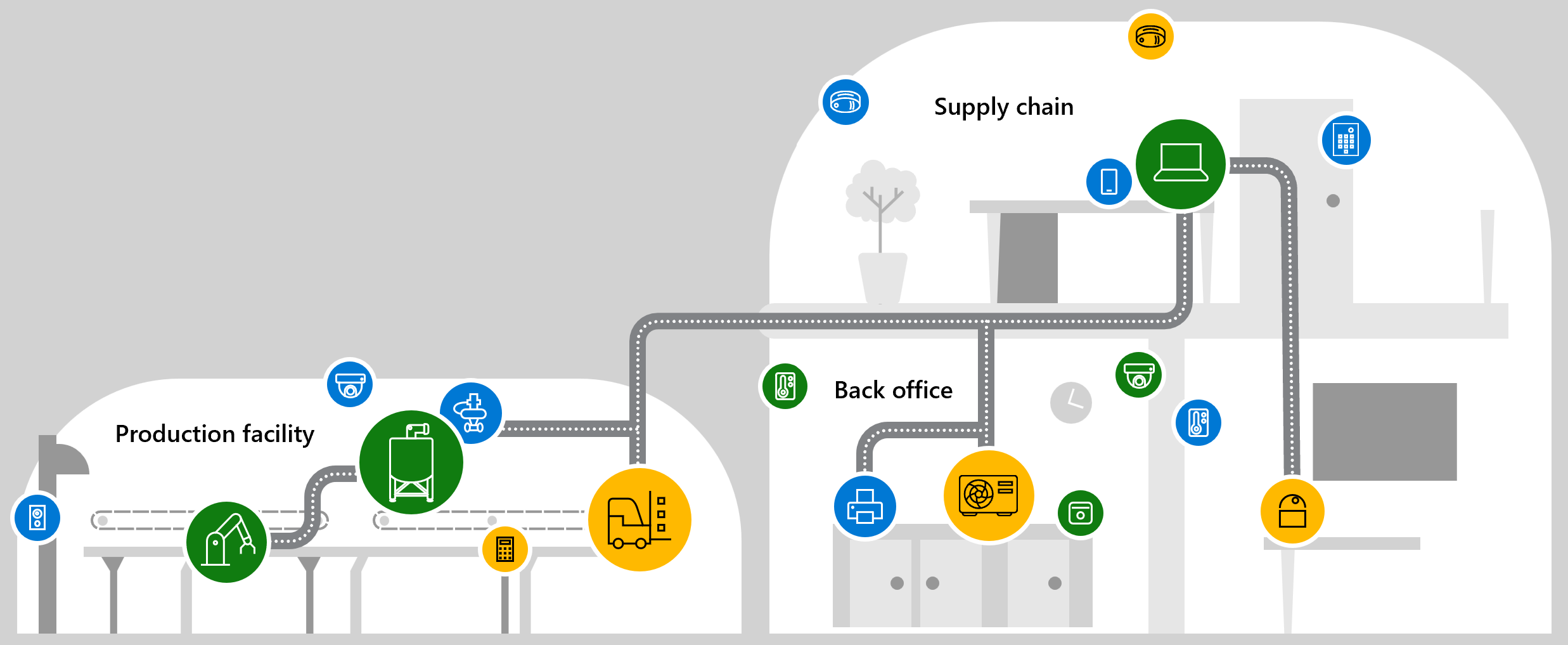
Source: Defender for IoT overview.
Why enable it
You cannot protect devices you cannot see, and active scanning can disrupt sensitive control systems. Defender for IoT uses passive, agentless monitoring to build an OT asset inventory and detect threats without touching production traffic.
| Without Defender for IoT | With OT monitoring enabled |
|---|---|
| OT and IoT assets are undocumented | Passive discovery builds a device and network map |
| IT security tools miss industrial protocols | Protocol-aware detection understands OT traffic |
| Threats to control systems go unseen | Behavioral alerts flag anomalous OT activity |
| SOC has no visibility into the plant | Alerts integrate with the SOC and Defender XDR |
Value in one line: it makes the operational network visible and monitored without risking the availability or safety of control systems.
How it works
Defender for IoT monitors operational-technology networks passively. A network sensor receives a mirrored copy of traffic, typically through a switched port analyzer (SPAN) port or network test access point (TAP), and uses protocol-aware analysis to identify devices, map communication, and detect anomalies, all without sending a single packet to the equipment, which protects the availability and safety of control systems.
The sensor understands the industrial protocols that IT tools ignore, so it can baseline normal engineering activity and alert on deviations such as unauthorized programming changes or unexpected connections. Alerts can integrate with the SOC and Defender XDR, while enterprise IoT devices on managed networks can instead be covered through Defender for Endpoint.
Configure OT monitoring
- Inventory plants, network segments, protocols, safety constraints, and owners.
- Design passive traffic collection with network and OT engineering teams.
- Size and deploy supported OT network sensors without disrupting control traffic.
- Define sensor management, updates, certificates, users, and backup procedures.
- Connect supported cloud or Defender portal experiences when permitted.
- Integrate alerts with the SOC while preserving plant-specific response authority.
Verify and operate
- Compare discovered devices and communication maps with the OT asset inventory.
- Baseline maintenance windows, engineering stations, and expected protocols.
- Investigate alerts jointly with OT personnel before blocking or isolating assets.
- Monitor sensor packet visibility, health, time synchronization, and update status.
- Exercise incident procedures in a lab or approved maintenance window.
Architecture and prerequisites
- OT network sensor: a physical or virtual appliance that receives mirrored traffic through a SPAN port or TAP, performs deep packet inspection locally, and never transmits to the monitored devices.
- Management: sensors can be air-gapped and locally managed or connected to the cloud experience where policy permits.
- Protocol coverage: understands industrial protocols such as Modbus, DNP3, EtherNet/IP, and S7 to identify assets and behavior IT tools miss.
- Enterprise IoT: managed-network IoT can instead be covered through Defender for Endpoint discovery.
Detections and operations
Detections include unauthorized device or programming changes, protocol anomalies, and known OT malware behavior. Baseline maintenance windows and engineering workstations to reduce noise, investigate jointly with OT engineers before any containment, and monitor sensor packet visibility, time synchronization, and update status. Integrate alerts with the SOC and Defender XDR while preserving plant-specific response authority.
Caution
Do not run active scans, isolate devices, or change control-system traffic without OT safety review. Availability and physical safety take priority.
Operational decisions
- Give the OT operator final authority over containment actions that could affect safety, production availability, or a regulated process.
- Maintain an approved asset criticality list and maintenance calendar so unusual protocol activity can be assessed with plant context.
- Retain sensor, site, zone, asset, protocol event, engineering approval, and recovery evidence in the incident record.
Business example
An operational technology (OT) sensor sees an engineering workstation communicating with a programmable logic controller (PLC) outside the scheduled maintenance window. The SOC does not isolate the device; it contacts the plant engineer, who confirms the activity is unauthorized. The plant follows its approved incident procedure to remove the workstation from the control segment while maintaining a safe manual process for the line.